Creating a cozy and functional home workspace is essential for anyone who spends a significant amount of time working from home. Whether you’re a remote employee, freelancer, or simply need a dedicated spot for managing household tasks, a well-designed workspace can boost your productivity and make your workday more enjoyable. In this post, we’ll share practical tips to help you create a home workspace that balances comfort and functionality.
1. Choose the Right Location
Selecting the ideal location for your workspace sets the foundation for a productive environment.
– Natural light: Pick a spot near a window to benefit from natural daylight. This can improve your mood and reduce eye strain.
– Quiet area: Try to find a space that’s away from household noise and foot traffic.
– Dedicated space: Even a small corner can be transformed into a focused work zone if you keep it separate from relaxation areas.
2. Invest in Comfortable Furniture
Comfort is key when you’re spending hours at your desk.
– Ergonomic chair: Choose a chair that supports good posture and has adjustable height and back support.
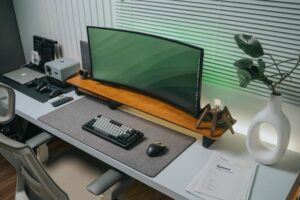
– Functional desk: Your desk should be large enough to hold your computer, notebook, and any other essentials without feeling cluttered.
– Adjustable options: Consider a desk with adjustable height, or add a standing desk converter, allowing you to switch between sitting and standing.
3. Optimize Lighting
Proper lighting helps reduce eye strain and creates a warm, inviting atmosphere.
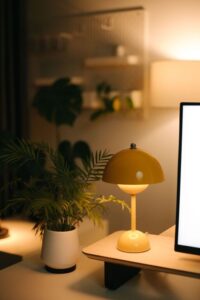
– Layered lighting: Combine ambient lighting (like ceiling lights) with task lighting (desk lamps) for versatile illumination.
– Warm light bulbs: Use bulbs with a warm color temperature to create a cozy feel.
– Reduce glare: Position your monitor to avoid glare from windows or lights.
4. Organize with Purpose
A tidy workspace can increase focus and reduce stress.
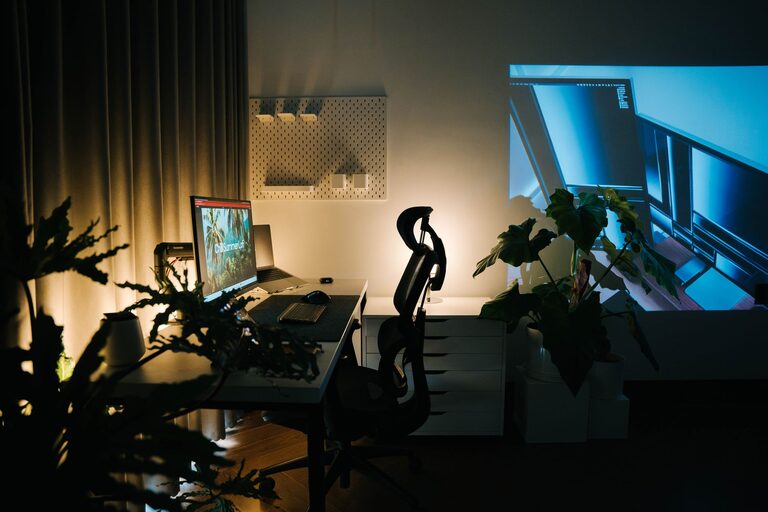
– Storage solutions: Use shelves, drawers, or baskets to keep supplies organized and out of sight.
– Cable management: Invest in cable cords or clips to keep wires neat and prevent tangling.
– Declutter: Keep only essentials on your desk to minimize distractions.
5. Personalize Your Space
Adding personal touches can make your workspace more inviting and inspiring.
– Decor: Include artwork, inspirational quotes, or plants to brighten your area.
– Colors: Choose calming colors that suit your taste and encourage concentration.
– Comfort items: Keep a cozy blanket or cushion nearby, and consider a small diffuser with your favorite scent.
6. Incorporate Technology Thoughtfully
Technology is vital for remote work but shouldn’t overwhelm your space.
– Reliable equipment: Use quality hardware such as a good mouse, keyboard, and high-resolution monitor.
– Tech setup: Arrange devices for ease of use, ensuring everything is within comfortable reach.
– Minimize distractions: Turn off notifications from non-essential apps when working.
7. Maintain Healthy Habits
Your workspace can support well-being habits that improve productivity.
– Take breaks: Schedule regular short breaks to stretch and refresh your mind.
– Stay hydrated: Keep a water bottle at hand.
– Exercise options: Consider adding a yoga mat or small exercise equipment nearby to encourage occasional movement.
8. Flexibility and Adaptability
As your needs change, your workspace should adapt with you.
– Modular furniture: Choose pieces that you can rearrange easily.
– Multi-use space: If your workspace doubles for other purposes, use foldable or movable furniture to save space.
– Evaluate and adjust: Periodically review your setup and make changes to improve comfort or efficiency.
—
By combining comfort, organization, and personalization, you can create a home workspace that feels inviting and helps you work efficiently. Remember, the goal is to design a space that supports your productivity while also making your workday enjoyable. Start with small changes and build a workspace that truly works for you.