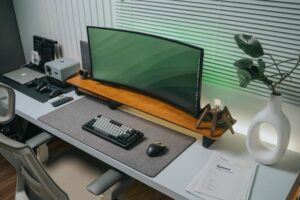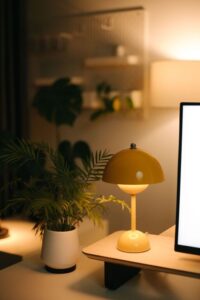

Creating a productive home office environment can make a significant difference in your workday, whether you’re freelancing, working remotely, or managing your own business. A well-planned workspace supports focus, reduces distractions, and helps maintain a good work-life balance. In this post, we’ll explore practical tips to help you set up a home office that enhances your productivity and comfort.
Choose the Right Location
Picking the right spot for your home office is the first step.
Consider Natural Light
Natural light can improve mood and reduce eye strain. Try to set up near a window where you can benefit from daylight without glare on your screen.
Minimize Noise and Distractions
Choose a quiet part of your home, preferably away from the busiest areas. If unwanted noise is an issue, noise-cancelling headphones or white noise machines can help.
Space Matters
Make sure your workspace offers enough room for your equipment and allows you to move comfortably. Avoid cluttered or cramped spaces.
Invest in Comfortable and Ergonomic Furniture
Your comfort directly affects your productivity and health.
Ergonomic Chair
An adjustable chair with good lumbar support helps reduce back pain during long work hours.
Desk Height
Your desk should allow your arms to rest comfortably at a 90-degree angle when typing. A standing desk or adjustable desk can offer flexibility.
Monitor Placement
Position your computer screen at eye level to avoid neck strain. Use a monitor stand if necessary.
Organize Your Workspace Efficiently
A clutter-free space can lead to a clutter-free mind.
Use Storage Solutions
Shelves, drawers, and desk organizers keep essential items within reach but out of the way.
Cable Management
Tidy up cords and cables with clips or cable sleeves to avoid tangles and accidents.
Limit Personal Items
Adding a few personal touches is fine, but avoid too many decorations that may distract you.
Create a Routine and Structure
Your environment works best when paired with a consistent daily schedule.
Set Clear Work Hours
Define when your workday begins and ends to create boundaries between professional and personal time.
Use a To-Do List or Planner
Keeping track of tasks boosts focus and ensures you stay on track.
Take Breaks
Incorporate short breaks to stretch or walk around; this can rejuvenate your mind and body.
Enhance Lighting and Air Quality
Good lighting and fresh air contribute to a comfortable workspace.
Supplement Natural Light
Use adjustable desk lamps or overhead lighting that can reduce eye strain in the evening or on cloudy days.
Improve Air Circulation
Open windows when possible or use a small fan or air purifier for fresher air, which helps maintain alertness.
Incorporate Technology to Support Productivity
Right tools and software can simplify tasks and keep distractions down.
Reliable Internet Connection
Strong and stable internet is critical for communication and research.
Productivity Apps
Consider tools for time management, note-taking, and project tracking to stay organized.
Minimize Distractions
Use apps that block distracting websites or notifications during work hours.
Personalize Your Space Wisely
A personalized workspace can make working from home more enjoyable without hindering productivity.
Add Plants
Indoor plants can improve air quality and create a calming atmosphere.
Choose Inspiring Artwork
Simple, motivating visuals can boost mood and creativity.
Maintain Cleanliness
Regularly clean and declutter your workspace to keep the environment inviting and productive.
Final Thoughts
Creating a productive home office environment involves thoughtful arrangement, comfort, and daily habits. By carefully selecting your location, investing in ergonomic furniture, organizing your workspace, and maintaining a routine, you can boost your focus and efficiency. Remember, your home office should support your work style and promote well-being. With these tips, you’re on your way to creating a space where productivity and comfort go hand in hand.