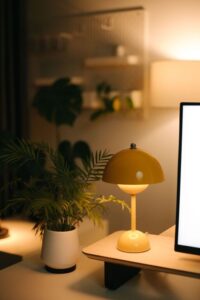

Creating a cozy and inviting home workspace is essential for anyone who spends significant time working from home. A well-designed workspace not only enhances productivity but also promotes comfort and creativity. Whether you have a dedicated room or just a small corner to call your own, these tips will help you transform your area into a functional and welcoming space.
Choose the Right Location
Find a Quiet Spot
Start by selecting a location that minimizes distractions. This could be a spare room, a nook near a window, or even a quiet corner of your living room. The key is to pick a spot where you feel comfortable and focused.
Consider Natural Light
Natural light boosts mood and helps reduce eye strain. Position your desk near a window if possible. If natural light is limited, invest in good-quality task lighting to brighten your workspace.
Invest in Comfortable Furniture
Ergonomic Chair and Desk
Comfort is critical for long work hours. Choose a chair that supports your back and encourages good posture. An adjustable chair paired with a desk at the right height will keep you comfortable and prevent fatigue.
Add Soft Textures
Consider adding a cushioned seat pad, a cozy throw blanket, or a soft rug beneath your feet. These little touches can make your workspace feel more inviting and less clinical.
Organize for Efficiency
Use Storage Solutions
Keep your workspace tidy by using shelves, drawers, or storage boxes to organize supplies. Decluttering your desk helps reduce stress and increases your ability to focus.
Keep Essentials Within Reach
Arrange items you use frequently so they’re easy to grab. This might include your computer, notebooks, pens, and a water bottle. An organized workspace saves time and keeps your workflow smooth.
Personalize Your Space
Add Plants
Houseplants not only improve air quality but bring a feeling of calmness to your workspace. Choose low-maintenance plants like succulents or snake plants if you’re new to plant care.
Display Personal Mementos
Adding family photos, artwork, or inspirational quotes can make your workspace feel uniquely yours. These elements can boost motivation and create a positive atmosphere.
Optimize Technology
Invest in Quality Equipment
Reliable technology is a must to avoid frustration. Ensure your computer, monitor, keyboard, and mouse are comfortable and efficient for your needs.
Manage Cable Clutter
Use cable organizers or clips to keep cords tidy and out of sight. A clean space with minimal cables is less distracting and easier to clean.
Set the Right Ambiance
Control Lighting
Besides natural and task lighting, consider using adjustable lamps to create a cozy ambiance. Warm light bulbs are often more relaxing than harsh, cool-toned lights.
Use Scents and Sounds
Some people find that scents like lavender or citrus can help focus or relax. A small diffuser or scented candle (used safely) can enhance the environment. Similarly, soft background music or nature sounds can help maintain concentration.
Create Boundaries Between Work and Leisure
Define Your Workspace
If your home workspace is part of another room, try to visually separate it using a screen, bookshelf, or rug. This helps signal your brain that it is time to work.
Set a Routine
Having consistent start and end times for your workday helps maintain balance. When the workday is over, physically leave your workspace if possible.
Keep It Flexible
Incorporate Adjustable Elements
Sit-stand desks or adjustable monitor stands allow you to change your posture throughout the day. Switching between sitting and standing can reduce discomfort and improve energy.
Allow Space for Breaks
If possible, include a small area nearby for stretching or taking breaks. Having a spot to step away from your desk encourages healthy movement and mental refreshment.
—
Designing an inviting and cozy home workspace is about combining comfort, functionality, and personal touches. By following these tips, you can create a space that feels welcoming and inspires your best work every day. Remember that your workspace should evolve with your needs—don’t hesitate to update or rearrange it as you find what works best for you.